Questions, answered
What is good posture at a desk
Good posture at a desk means your body is in a comfortable, supported position, with less strain on your neck, back, and shoulders. Small changes can make sitting feel easier during a long workday.
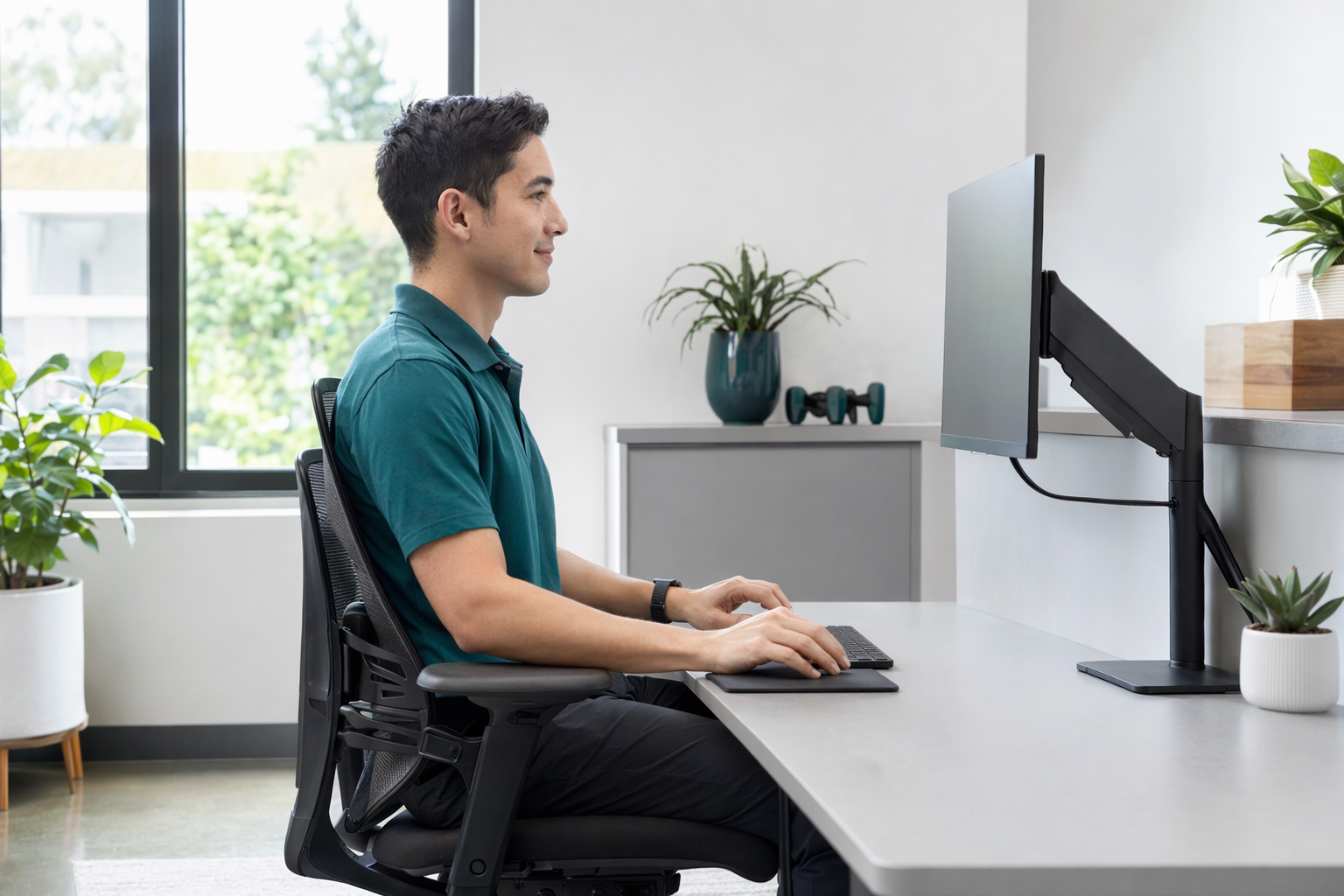
What “good posture” usually looks like
At a desk, good posture is not about sitting stiffly straight all day. It usually means your feet rest on the floor, your knees are comfortable, and your lower back has support.
Your screen should be at a height where you do not have to crane your neck up or down. Your shoulders should feel relaxed, and your elbows should stay close to your sides when you type or use a mouse.
If you are reaching, twisting, or leaning forward a lot, your setup may be making you work harder than it should.

Simple desk habits that may help
A good setup is only part of the picture. It can also help to change position now and then, stand up sometimes, and take short breaks from the screen.
If you use a laptop, a separate keyboard or stand may make it easier to keep your head and shoulders in a more natural position. A chair with back support can also help some people feel more comfortable.
There is no perfect posture that works for everyone. The best position is often the one you can hold comfortably while staying relaxed.
When to ask for help
If sitting at a desk leaves you feeling stiff or sore often, a licensed chiropractor may be able to talk with you about general care options for everyday back pain, neck pain, posture, headaches linked to tension, and staying mobile. We are not a medical provider, but we can help you find a licensed chiropractor near you at no cost.
You can start with How it works or go straight to Get matched. We only ask for contact details and a broad category of what you want help with — not health details, insurance numbers, or accident information.
If you have severe pain, new weakness, numbness, trouble walking, chest pain, fever, or pain that is getting worse, please contact a regular doctor or urgent care right away. Rules, costs, and clinic types vary by state.
A few easy setup checks
Try these quick checks at your desk:
- Feet flat or fully supported
- Screen at about eye level
- Shoulders relaxed, not lifted
- Lower back supported by the chair
- Keyboard and mouse within easy reach
More helpful answers
If you want more plain-language help, you can browse Answers or read more general wellness info in Care.
We keep things simple so it is easier to know your options and decide what to do next.
- Feet flat, shoulders relaxed, screen easy to see
- If desk posture keeps bothering you, we can help you find a licensed chiropractor near you at no cost

Good desk posture is a comfortable, supported setup with your screen, chair, and keyboard arranged so you do not have to strain your neck or back.
Common questions
Is it bad to sit perfectly straight all day?
Usually, yes — staying in one rigid position for too long can feel tiring. Many people do better with a relaxed, supported posture and regular movement breaks.
Should my chair make me sit upright all the time?
Not exactly. A chair should support you so you can sit comfortably, not force you into one tense position for hours.
Do I need a chiropractor for posture?
Not always. But if desk sitting keeps causing discomfort, we can help you find a licensed chiropractor near you so you can discuss general care options.